
The Election Commission of India (ECI) has come up with an easy method of filling Special Intensive Revision (SIR) enumeration form by the voters using ECINET app and the ECINET web portal.
This is to enhance accessibility and reduce the hassle involved in updating voter information as there is fear of voter list amendments. There are details in easy language on this article how to fill in the SIR form on-line, and how to mobile number your voter id and how to know whether you have successfully filled in the form, with the most recent changes as of 2025.
The Election Commission of India (ECI) has made it easy to use the platform of ECINET application and web portal to fill the Special Intensive Revision (SIR) enumeration form online by the voters. This would facilitate the process of updating information of the voters and streamline it further as there is fear of voter list revising.
This article describes the process of filling SIR form online, connecting your voter ID to a mobile number, and getting to know whether your form had been submitted successfully in a very simple way, and updated on the 2025.
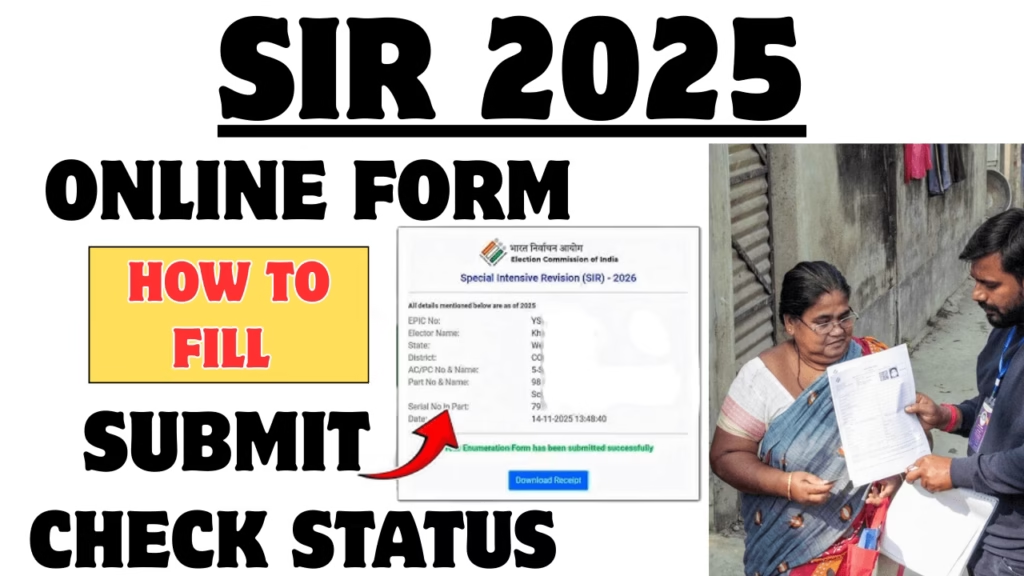
SIR Enumeration Form and Online Process
The Special Intensive Revision (SIR) is a significant exercise that is carried out by the Election Commission to revise and update the voter lists in order to make it accurate. In the conventional system, the voters were given physical enumeration forms by Booth Level Officers (BLOs) to check or update their information.
Today, the ECI provides qualified voters with an opportunity to accomplish this process online by filling the SIR form online through the official ECINET application or the official ECINET webpage, which saves time and effort.
How to Fill SIR Online Form 2025?
This is easy and can be filled online without visiting offices and these are the easy steps to fill your SIR form, ECI voter portal (voters.eci.gov.in) or open the ECINET application on your cell phone. Go to the “Services” section. Click on Fill Enumeration Form. Enter either your mobile number or EPIC (Elector Photo Identity Card) number.
Select your state on the list. You can auto fetch your voter details by entering the EPIC number. Note that when submitting on-line you need to connect your EPIC number with your mobile number. Form-8 (or link through the portal/app) is required to be submitted first if not already connected. Link and re-login using your mobile number. Answer questions by filling the enumeration form with care.
Enter all information as per EPIC card and Aadhaar card. Send the form by confirming all the entries. The process will also make sure that the information about the voters is correct and up-to-date in record before the elections.
Update or Check Their Voter Records Online
The Election Commission insists that all voters that would want to update or check their voter records online should associate their EPIC number with a mobile number. Such connection assists in ensuring the procedure by transmitting OTPs (One-Time Password) to verify and prevent fraudulent updates. In case you are not connected with your mobile number, you can do it through the ECINET portal, or through the offline Form-8 to your BLO.
How To Check If The SIR Enumeration Form Is Submitted?
Once submitted, voters are in a position to view their form status online, Go to the official voter portal voters.eci.gov.in. On the home page, click on Fill SIR Enumeration Form. Enter your mobile number and demand the OTP to be sent to you. Type in your EPIC number and press search. The system would display an indicator whether your form has been submitted or not such as; your form has already been submitted with mobile number XXXX. In case no record can be found, then you might have to place an application or make a follow up with your BLO.
What to Do When Your Form Is Not Showing As Submitted?
In case your form status has not been updated yet, the reason could be that booth-level officers (BLOs) are either processing offline (or updating) forms, or updating the database. It might take a few days until the end of the month (which was usually early December). There should be no repetitive check-ins or calls to BLOs in order to minimize their workload.
Advantages of Submission of SIR Form Online
Online system has the following strengths, Comfort of completing home based forms. Saves time to the electoral offices. Aadhaar based e-signature verification immediately. Eases paperwork and mistakes with filled data. Anywhere Online Anytime Transparent status tracking.
ECINET application and portal simplify voter revision and also increase its speed, which is secured and can be accessed even by those residing in remote regions. Notable guidelines during the completion of the SIR Form. Always have your EPIC number and mobile number. Make sure that you verify your information such as name, address, date of birth and family details.
Attach a new snapshot photograph (size required is passport). Be sure that your information is the same as your original documents. Stable internet connection should be used to prevent errors during submission. Record a screen shot or a confirmation of successful submission. Additional Support to the Electors. Voters may reach their local BLO in case of any assistance or clarification.
The ECINET app has the Book a call with BLO feature that will help you. Helpline 1950 is a toll-free number to be used to inquire. ECI sends regular updates and notifications to be aware and on deadlines.
SIR Enumeration Form System
The SIR enumeration form system of Election Commission of India is a big leap towards the modernization of electoral services. It provides a safe and easy method of voters to confirm or update their information without worrying and review their status of submission. With the official elections date near, voters must also rely on reliable systems such as ECINET application and official ECI site to complete their civic responsibility without any issues in the 2025 elections.