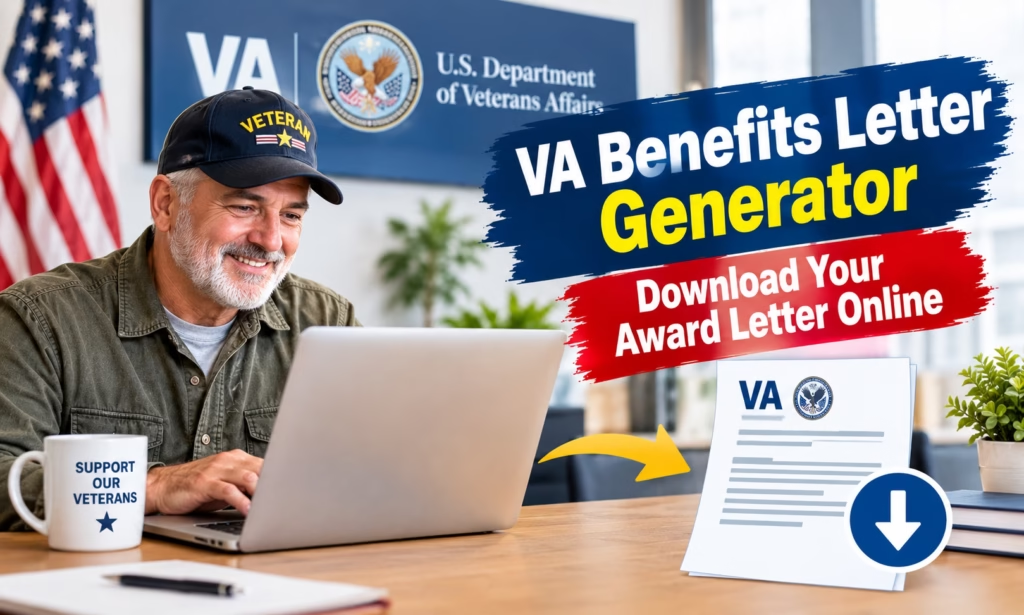
VA Benefits Letter Generator: Veterans logging into VA.gov this year will find a noticeably different, more consolidated system than the one they may remember from just a couple of years ago. The VA Benefits Letter Generator, the official backend system that produces your Benefit Summary Letter, Benefit Verification Letter, and several other proof-of-benefits documents, quietly added a new letter type this February: the Foreign Medical Program (FMP) letter, giving veterans receiving care overseas a document they previously had no self-service way to generate. That update, confirmed in VA’s own developer release notes on February 16, 2026, is part of a broader consolidation that’s reshaped how every veteran accesses these documents.
That broader shift matters just as much as the new letter type itself. As of the 2025-2026 VA.gov overhaul, DS Logon and the legacy My HealtheVet password have been fully retired. If you’re one of the many veterans who’s used either of those credentials for years to pull your award letter, that login no longer works, full stop. Only ID.me and Login.gov now grant access to the letter generator and every other VA.gov digital service. For veterans who haven’t logged in recently and are about to discover their old credentials simply don’t work anymore, understanding exactly what changed, and how to get your letter through the current system, matters more this year than in years past. We’ll be updating this article monthly as VA adds new letter types or changes its account access requirements.
Latest Update: What’s New With the VA Letter Generator
| Detail | Information |
|---|---|
| Official system name | VA Letter Generator (documented via developer.va.gov API) |
| Newest letter added | Foreign Medical Program (FMP) letter |
| FMP letter added | February 16, 2026 |
| Retired login credentials | DS Logon, legacy My HealtheVet password |
| Currently accepted logins | ID.me, Login.gov |
| Direct access URL | va.gov/records/download-va-letters |
| Cost to download | Free |
| Number of standard letter types available | 9 |
| Letter reflects | Your current, real-time VA record at the moment of generation |
| Fastest way to get a copy if login access fails | Call 1-800-827-1000 to request by mail |
What Exactly Is the VA Letter Generator?
The VA Letter Generator isn’t a marketing name, it’s the actual, documented system VA uses on the backend of VA.gov to produce on-demand benefit documentation. Rather than mailing every veteran a fixed, dated paper letter once a year, the system generates a letter pulling your current VA record the moment you request it, meaning the letter you download today reflects today’s rating, today’s award amount, and today’s service history, not a snapshot from months or years ago. If your disability rating changes next month, downloading a fresh copy immediately after that decision takes effect will reflect the update.
This on-demand design is a meaningful upgrade over the older system, where veterans sometimes had to wait for VA to mail an updated Benefit Summary Letter after a rating change, occasionally missing a state benefits deadline in the process because their only copy on hand was outdated.
SSDI Pay Chart: The Least Amount You Can Get Per Month and the Most Common Disabilities
IRS Identity Protection PIN: How to Get One and Stop Tax Fraud
The Nine Letter Types You Can Generate
VA’s letter generator produces several distinct document types, each serving a different verification purpose. Knowing which one you actually need before logging in saves time and avoids the common mistake of downloading the wrong document.
| Letter Type | Category | Common Use |
|---|---|---|
| Benefit Summary and Service Verification Letter | Service history and disability compensation | State property/vehicle tax relief, civil service preference, general benefit verification |
| Benefit Verification Letter | Service history and disability compensation | Simple confirmation of current benefit receipt and amount |
| Service Verification Letter | Service history and disability compensation | Confirms dates and character of military service only |
| Minimum Essential Coverage Letter | Health benefits | Proof of qualifying health coverage |
| Proof of Creditable Prescription Drug Coverage | Health benefits | Confirms VA prescription coverage meets Medicare Part D standards |
| Civil Service Preference Letter | Other proof of eligibility | Federal job application veteran’s preference |
| Commissary Letter | Other proof of eligibility | Access to military commissary privileges |
| Proof of Service Card | Other proof of eligibility | General, portable proof of military service |
| Foreign Medical Program (FMP) Letter | Health benefits (new, 2026) | Documentation for veterans receiving care outside the U.S. |
Note that a Certificate of Eligibility (COE) for a VA home loan is not part of this letter generator at all. That specific document requires the separate housing COE tool on VA.gov, a distinction that trips up a fair number of veterans searching for “VA award letter” when what they actually need for a mortgage application is the COE.
Award Letter vs. Benefit Summary Letter: Clearing Up the Confusion
This is one of the most common points of confusion veterans run into, and it’s worth addressing directly. Many veterans use the term “award letter” informally to refer to what VA officially calls the Benefit Summary and Service Verification Letter. There is no document literally titled “Award Letter” in the current system, the Benefit Summary Letter is the document that actually contains your combined disability rating, monthly award amount, and effective date, exactly the information most people mean when they ask for their “award letter.”
A related, frequently repeated mistake: veterans applying for a state benefit, such as property tax exemption or vehicle registration relief, sometimes bring the Benefit Verification Letter instead of the more detailed Benefit Summary Letter, only to find the state office needs the fuller document with the breakdown of rating percentage and award history. Confirming exactly which letter a specific program or agency requires before you generate and print it saves an unnecessary return trip.
How the 2025-2026 Login Consolidation Changes Your Access
If you haven’t logged into VA.gov in the past year or so, this is the single most important practical change to understand before attempting to download your letter. VA has fully retired DS Logon and the older My HealtheVet username-and-password login method as separate credentials for accessing VA.gov services. Every digital VA service, including the letter generator, claims status, healthcare appointments, and prescription refills, now runs through just two accepted identity providers: ID.me and Login.gov.
If your account was previously tied to DS Logon or the legacy My HealtheVet password, your underlying VA data has been migrated automatically, but the login credential itself no longer functions. You’ll need to either sign in through ID.me or Login.gov using an account you may already have from other government services, or create a new one, a process that typically takes around ten minutes and requires a government-issued photo ID for identity verification.
How to Download Your VA Benefit Letter: Step-by-Step
For veterans generating a letter for the first time under the current system, here’s the complete, current process.
- Go to VA.gov and select “Sign In” in the top right corner.
- Choose ID.me or Login.gov as your sign-in method. If you don’t have either, create one; the process requires identity verification through a government-issued ID.
- Navigate to “Download your benefit letters” under the Records section, or go directly to va.gov/records/download-va-letters.
- Confirm your mailing address if prompted, then select “View Letters.”
- Select the specific letter type you need from the list, most commonly the Benefit Summary and Service Verification Letter.
- Check the boxes for the specific information you want included, such as award amount, disability rating percentage, or permanent and total status.
- Download the letter as a PDF, or select the option to have a physical copy mailed to your address of record.
Express Entry Draw Update: CEC Cut-Off Falls To 521, Physicians Round Drops To 198 CRS
Canada Counter-Tariffs Worker Support Package: $7.5 Billion in Relief Confirmed
StayNJ Income Cap Drops From $500,000 to $200,000: Why Your Check Already Got Smaller
New York POWER Rebate Checks: $100 to $200 Payments Begin Landing in Mailboxes This Fall
How to Apply If You Can’t Access VA.gov
Not every veteran can or wants to complete the online identity verification process. If you’re unable to log in through ID.me or Login.gov, you can still get your Benefit Summary Letter by calling VA directly at 1-800-827-1000 and requesting it be mailed to you. This method takes considerably longer than the instant online download, so veterans with a near-term deadline, such as a state tax exemption filing date, should attempt the online method first whenever possible.
Processing Time for Your VA Letter
Because the letter generator produces documents on demand from your current VA record rather than pulling from a pre-printed batch, there’s effectively no processing wait for the online download option, your PDF is available immediately after you complete the request. If you instead choose to have a physical copy mailed, or if you’re requesting one by phone due to login difficulties, expect standard U.S. Postal Service delivery timing on top of whatever internal VA processing time applies to mailed requests, typically a matter of one to two weeks depending on current mail volume and regional VA office workload.
What This Means for State Benefits and Payment-Related Deadlines
Because your Benefit Summary Letter reflects your current award amount and rating at the moment you generate it, this is particularly useful when applying for time-sensitive state benefits tied to your VA compensation, such as property tax exemptions, vehicle registration fee waivers, or state income tax benefits for disabled veterans. Many states require documentation dated within a specific window before your application, sometimes 30, 60, or 90 days, so generating a fresh copy right before submitting a state application, rather than relying on an older letter you have saved from a prior year, helps avoid a rejected application due to outdated documentation.
Common Mistakes Veterans Make With VA Letters
A few recurring errors show up consistently among veterans navigating this system, based on patterns tax and benefits professionals who assist veterans regularly report seeing.
- Bringing the wrong letter type to a state office. As covered above, confusing the Benefit Verification Letter with the more detailed Benefit Summary Letter is the single most common mistake.
- Using an outdated, previously downloaded copy. Since a rating or award amount can change, always generate a fresh letter close to when you’ll actually need it rather than reusing one from months earlier.
- Assuming DS Logon still works. Veterans who haven’t logged into VA.gov recently sometimes waste time troubleshooting old, retired credentials rather than simply switching to ID.me or Login.gov from the start.
- Confusing the Benefit Summary Letter with a home loan Certificate of Eligibility. These are two entirely separate documents produced by two separate tools; the letter generator does not produce a COE.
- Forgetting to select the specific data checkboxes needed. The system lets you choose which pieces of information appear on your letter (award amount, rating percentage, permanent and total status, and so on); skipping this step can result in a letter missing information a specific program actually requires.
Why Your Benefit Summary Letter Matters Most for State Property Tax Relief
Among the nine available letter types, the Benefit Summary and Service Verification Letter carries the most practical weight for veterans pursuing state-level benefits, and it’s worth understanding exactly why. Many states offer disabled veterans meaningful property tax exemptions, vehicle registration fee waivers, or reduced license fees, but nearly all of them require documented proof of your specific combined disability rating and, in some cases, whether you’re rated as permanently and totally disabled. A generic benefit verification confirming you receive VA compensation isn’t enough for most of these programs; the state office needs the detailed breakdown only the Benefit Summary Letter provides.
This is exactly the scenario a U.S. senator’s office highlighted when addressing constituent concerns about this letter: veterans who had moved, misplaced their annual paper copy, or simply needed an updated version after a rating change found themselves unable to complete a state benefits application until they tracked down a current copy. The shift to an on-demand digital system solves this specific problem directly, since a veteran can now generate a fresh, accurate copy the same day they discover they need one, rather than waiting on VA to mail a new physical copy or searching through old paperwork for a document that may no longer reflect their current rating.
Who Should Prioritize Getting This Letter Sooner Rather Than Later
While any veteran can benefit from knowing how to access their letters, a few specific groups have particularly strong reasons to confirm their VA.gov access works right now, before they actually need a document urgently.
- Veterans planning to apply for state property tax exemptions, since many of these programs have annual filing deadlines and require current documentation submitted alongside the application.
- Veterans who recently received a rating decision change, whether an increase, decrease, or a new secondary condition added, since their previously saved letter no longer reflects accurate information.
- Surviving spouses and dependents of veterans with service-connected disabilities, who may need this documentation for their own benefit applications and should confirm they have appropriate access to a deceased veteran’s records where applicable.
- Veterans relocating to a new state, since many state veteran benefit programs specifically require this documentation as part of establishing eligibility in a new jurisdiction.
- Veterans applying for federal civil service positions, who need the Civil Service Preference Letter specifically, a distinct document from the Benefit Summary Letter covered under this same system.
New Canada Prescription Drug Rules October 2026: What Every Patient and Pharmacy Needs to Know
October 15 Tax Deadline Is Final — What Happens If You Still Don’t File
VA Benefits Lawyer: For Which Claims Do You Need One, and How Much Can They Cost?
Green Card Sponsors Face New Scrutiny: USCIS Can Now Pull Your Credit Report
Getting Help From a Veterans Service Organization
For veterans who find the login and navigation process genuinely difficult, whether due to limited comfort with online systems or simply not having reliable internet access, accredited Veterans Service Organizations can provide free, hands-on assistance with downloading benefit letters, alongside their broader free help with claims and appeals. VSO representatives are familiar with the current VA.gov system, including the ID.me and Login.gov requirements, and can walk a veteran through the process in person at many VSO offices located near VA regional facilities nationwide. This free assistance is worth using for any veteran who’s struggled with the online identity verification step, rather than defaulting straight to a phone request, which as noted takes considerably longer than the instant online download most VSOs can help complete in a single visit.
Official Resources for VA Benefit Letters
Always access and download your letters directly through these official VA channels.
| Resource | Purpose | Official Link |
|---|---|---|
| Download your VA benefit letters | Direct access to the letter generator | va.gov/records/download-va-letters |
| VA.gov sign in | Access your account with ID.me or Login.gov | va.gov (Sign In) |
| VA home loan Certificate of Eligibility | Separate tool for mortgage COE requests | va.gov (housing COE tool) |
| VA Letter Generator API documentation | Technical release notes and system updates | developer.va.gov/explore/api/va-letter-generator |
| VA Contact Center | Phone support and mailed letter requests | 1-800-827-1000 |
| Find your local VA regional office | In-person assistance | va.gov/find-locations |
Conclusion
The VA Benefits Letter Generator has quietly become a more capable, more consolidated system than it was even a year ago, adding the Foreign Medical Program letter this February while simultaneously retiring the older DS Logon and My HealtheVet login paths that many veterans had relied on for years. For anyone who hasn’t accessed VA.gov recently, the practical first step isn’t finding the letter itself, it’s making sure you can actually log in through ID.me or Login.gov before you need the document urgently. Once you’re in, generating an accurate, up-to-date Benefit Summary Letter takes only a few minutes and reflects your current VA record in real time, exactly the kind of fresh, verifiable documentation state tax offices, civil service applications, and health coverage verifications require.
FAQs
What is the VA Letter Generator?
It’s VA’s official on-demand system for producing benefit verification documents, including the Benefit Summary and Service Verification Letter, directly from your current VA record through VA.gov.
Is there a fee to download my VA benefit letter?
No. Downloading any letter through the VA Letter Generator on VA.gov is completely free.
What’s new with the VA Letter Generator in 2026?
VA added a new Foreign Medical Program (FMP) letter to the system on February 16, 2026, giving veterans receiving care outside the United States a self-service way to generate that specific documentation.
Can I still log in with my DS Logon or old My HealtheVet password?
No. Both of these credentials have been fully retired as part of VA.gov’s 2025-2026 consolidation. Only ID.me and Login.gov are currently accepted for signing in.
What’s the difference between an “award letter” and a Benefit Summary Letter?
They’re generally the same thing. “Award letter” is the informal term many veterans use, while the Benefit Summary and Service Verification Letter is the official document name that contains your rating, award amount, and effective date.
Can I get a VA home loan Certificate of Eligibility through this same tool?
No. A Certificate of Eligibility (COE) for a VA home loan requires the separate housing COE tool on VA.gov and is not part of the standard letter generator.
How long does it take to get my letter if I request it online?
It’s essentially instant. Since the letter generates from your current VA record on demand, your PDF is available immediately after you complete the request through VA.gov.
What should I do if I can’t log into VA.gov to get my letter?
Call VA directly at 1-800-827-1000 and request your Benefit Summary Letter be mailed to you. This method takes longer than the online download but doesn’t require completing identity verification through ID.me or Login.gov.
Trump Accounts Dell $250 Grant: Did Deposits Actually Start Monday? Here’s Who’s Actually Been Paid
2027 Social Security COLA Forecast: Latest 3.6% Estimate and How Much Retirees Could Get
$2000 Stimulus Payment September 2026 Fact-Check: Is It Really Coming?